November 9, 2026 · 3523 words
Xero Inventory Management: Native Capabilities, Architectural Limits, and Integration Frameworks
Explore Xero inventory management mechanics, architectural limits, 4,000 SKU caps, continuous weighted-average costing, and scalable integration frameworks.
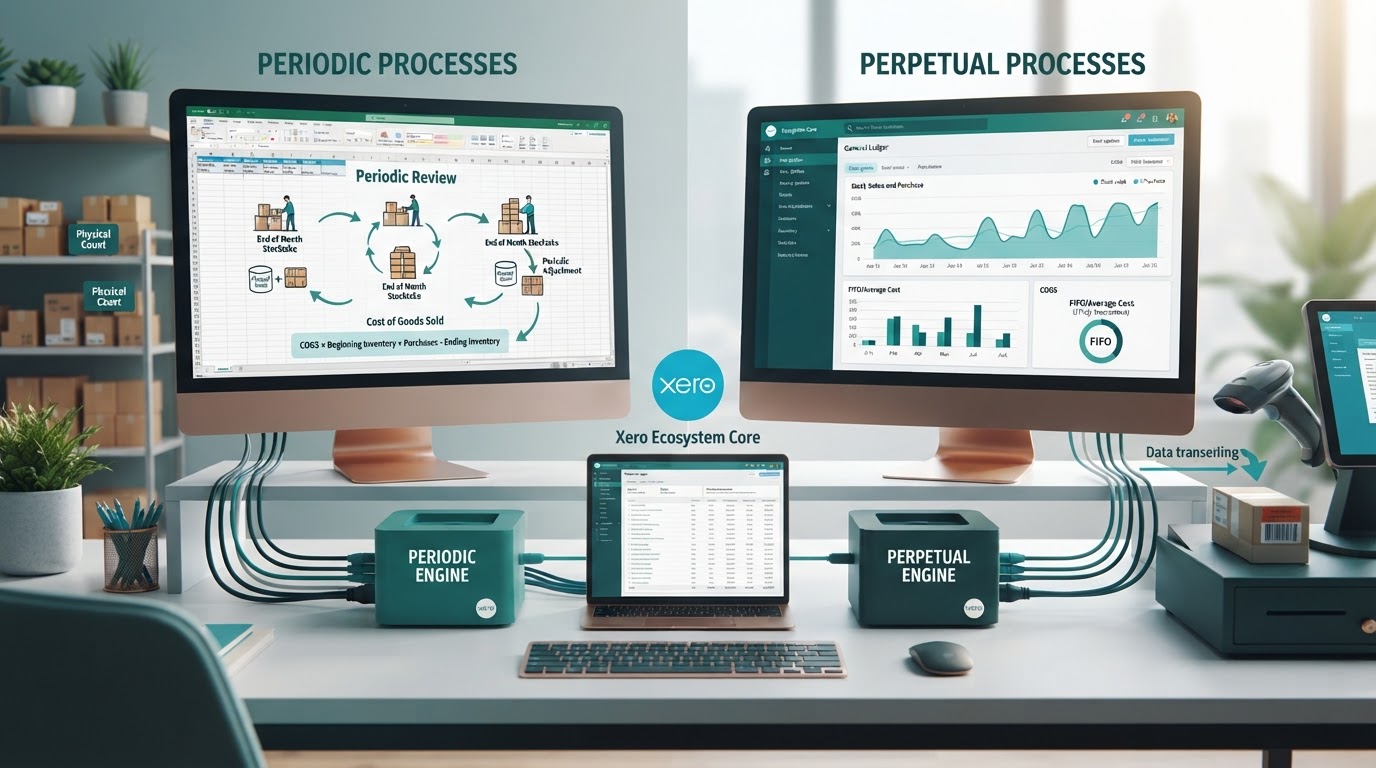
Xero inventory management is a built-in cloud accounting feature set that tracks item quantities, automates perpetual cost of goods sold calculations, and reconciles stock values against your general ledger using continuous weighted-average costing. It serves small businesses that sell finished goods without multi-location warehousing, assembly lines, or complex fulfillment workflows.
Operating your retail or wholesale business requires complete clarity on where native accounting ends and specialized inventory management begins.
- Native tracking functions perpetually. Xero updates your balance sheet asset values and cost of goods sold accounts in real time with every sales invoice and purchase bill.
- Valuation strictly follows weighted-average formulas. The software rejects First-In, First-Out (FIFO) and Last-In, First-Out (LIFO) accounting methods, requiring strict alignment with International Accounting Standard (IAS) 2.
- Architectural ceilings limit enterprise scale. Hard technical performance boundaries degrade system stability once your catalog exceeds 4,000 tracked stock keeping units (SKUs).
Key Takeaways
| Point | Details |
|---|---|
| Valuation Mechanics | Continuous weighted-average costing calculates dynamically on purchase entry; manual overrides and FIFO are unsupported. |
| SKU Capacity | Xero caps reliable performance at roughly 4,000 tracked inventory items before sync latencies and report timeouts occur. |
| Operational Omissions | Native tooling omits bin locations, multi-warehouse routing, bill of materials (BOM), matrix variants, and backorders. |
| API Bottlenecks | High-volume transaction imports hit native API rate limits (60 calls per minute), requiring external batching engines. |
| Resource Reallocation | Automating back-office inventory operations frees balance sheet capital and labor to scale organic acquisition with CitedGiraffe. |
Table of Contents
- Xero Processes Periodic and Perpetual Inventory Through Separate Accounting Engines
- Native Valuation Mechanics Enforce Continuous Weighted-Average Costing Over FIFO
- Database Constraints Cap Reliable Tracking at Roughly Four Thousand Active SKUs
- Core Architecture Lacks Multi-Location Tracking, Kitting, and Negative Stock Controls
- Multi-Channel Order Volumes Trigger API Throttling and Balance Sheet Drift
- Identifiable Business Thresholds Dictate When Native Stock Control Breaks Down
- Dedicated Inventory Add-Ons Modernize Fulfillment Without Corrupting Financials
- Reconciling Inventory Clearing Accounts Requires Systematic Monthly Audit Routines
- Eliminating Operational Friction Redirects Enterprise Focus Toward Organic Acquisition
- Our Technical Stance on Native Ledger Limits
- Scale Organic Growth with CitedGiraffe While Automating Operations
- Next Steps
- FAQ
- Sources
- Recommended Reads
Xero Processes Periodic and Perpetual Inventory Through Separate Accounting Engines
Xero splits stock management into two distinct ledger paths: tracked inventory and untracked inventory. The accounting method you select changes how your general ledger accounts interact with transactional sales and purchase data.
What it is not: native Xero inventory is not a warehouse management system (WMS) or an enterprise resource planning (ERP) platform. It does not direct warehouse floor routing, calculate raw material yield rates, or reserve pick-bins for pending fulfillment lines. It is an automated ledger posting engine designed to record changes in asset values and cost allocations.
Tracked Inventory Automates Perpetual Cost of Goods Sold Recognition
Tracked inventory operates as a perpetual inventory system according to guidelines defined in Xero Central's documentation on tracked inventory. When you mark an item as tracked, Xero monitors the on-hand quantity and total monetary balance of that specific line. The platform demands a dedicated Balance Sheet Inventory Asset account and a Profit and Loss Cost of Goods Sold (COGS) account for every tracked item.
The system posts automated entries when transactions approve:
- Billed Purchase: Debits the Inventory Asset account and credits Accounts Payable. The on-hand count increases immediately.
- Approved Sales Invoice: Credits the Inventory Asset account by the weighted-average cost of the units sold and debits the designated COGS account. Simultaneously, it debits Accounts Receivable and credits the Sales Income account by the sale price.
This automated synchronization gives controllers real-time profit margins on every single transaction line. Your balance sheet continuously reflects accurate carrying values without waiting for calendar period ends.
Untracked Inventory Relies on Manual Periodic Journal Adjustments
Untracked inventory functions as a periodic accounting model, following principles outlined in Xero Central's untracked inventory framework. You input standard unit purchase costs and default sale prices to accelerate manual quote and invoice generation. However, Xero does not log changes to physical asset counts when line items process.
When you approve a bill for an untracked item, Xero writes the full expense directly to a purchases account on your Profit and Loss statement. It makes no entry to your Balance Sheet Inventory Asset account. To balance your books under a periodic model, your accounting team must complete manual physical stock counts at the close of every month, quarter, or year. Your team then enters an adjusting general journal entry:
- Debit the Inventory Asset balance sheet account by the ending physical count valuation.
- Credit the Inventory Asset balance sheet account by the opening stock balance.
- Post the net differential balance directly to your Cost of Goods Sold expense account.
Untracked setups shield your database from hitting software SKU limits. However, they destroy real-time margin visibility and hide phantom stock shrinkage until manual reconciliation cycles conclude.
Pro tip. Never transition a live SKU from untracked to tracked without running an unbilled inventory audit. If open purchase orders exist, Xero will double-count stock expense or block retroactively dated ledger entries.
Native Valuation Mechanics Enforce Continuous Weighted-Average Costing Over FIFO
Xero calculates the carrying cost of inventory assets using continuous weighted-average costing. The software divides the total monetary cost of items currently available for sale by the total physical units on hand. This calculation recalculates dynamically every time you enter a new billed inventory receipt.
"The cost of inventories shall be assigned by using the first-in, first-out (FIFO) or weighted average cost formula. An entity shall use the same cost formula for all inventories having a similar nature and use to the entity."
— International Accounting Standards Board (IASB), IAS 2 Inventories
Standard retail accounting standards outlined by the IFRS Foundation under IAS 2 permit weighted-average costing alongside FIFO. However, Xero eliminates user discretion. You cannot toggle your ledger to First-In, First-Out, nor can you run Last-In, First-Out valuations. The platform executes valuation strictly through the following mathematical progression:
Assume your opening ledger maintains 100 units of a product purchased at $10.00 each. Your total asset balance equals $1,000.00. You issue a purchase bill for 50 additional units at $13.00 each, generating an incremental asset addition of $650.00.
- Total combined inventory quantity: 150 units.
- Total combined inventory valuation: $1,650.00.
- New continuous weighted-average unit cost: $1,650.00 / 150 = $11.00 per unit.
If you fulfill an order of 80 units immediately after that purchase, Xero expenses exactly $880.00 (80 units × $11.00) straight to your COGS account. The remaining 70 units remain on the balance sheet at $11.00 each ($770.00 asset carry).
This automated recalculation requires historical discipline. If your operations staff enters a back-dated supplier invoice with an irregular unit cost, Xero recalculates the continuous weighted-average retroactively. That back-dated change adjusts the COGS line for every customer invoice approved between that historical date and the current moment, altering previously reconciled financial statements.
Database Constraints Cap Reliable Tracking at Roughly Four Thousand Active SKUs
Xero builds its application stack around lightweight small-business general ledger accounting. As documented across Xero Central's system guidelines, the core database establishes an operational threshold of roughly 4,000 tracked inventory items. While the user interface allows you to create records past this limit, system reliability degrades past 4,000 active tracked SKUs.
| Architecture Layer | Native Tracking (Under 4,000 SKUs) | Native Tracking (Over 4,000 SKUs) | Dedicated External Engine |
|---|---|---|---|
| Ledger Performance | Sub-second reconciliation matching | Periodic page timeouts and slow search | Full ledger isolation; fast queries |
| Inventory Reports | Instant valuation summaries | Generation timeouts over large date spans | Dedicated reporting tables and BI pipelines |
| API Synchronization | Stable execution within call limits | Sync failures from payload latency | Asynchronous batch queues and webhook pipes |
| COGS Processing | Atomic per-transaction calculation | Queued background ledger calculations | Periodic consolidated journal entries |
When database sizes cross 4,000 tracked lines, users encounter hard timeouts when generating the Inventory Item List and Inventory Options reports. Database queries evaluating continuous weighted-average histories against sales line items demand heavy read locks. This computational overhead slows down unrelated ledger actions, including standard sales invoicing and bank reconciliation screen loads.
For organizations operating large catalogs, merchants must switch high-turnover or slow-moving tail SKUs to untracked status or offload the stock ledger to an integrated cloud inventory management system.
Core Architecture Lacks Multi-Location Tracking, Kitting, and Negative Stock Controls
Mid-market commerce stacks require flexible distribution networks. Native Xero inventory relies on a single, global inventory balance for each SKU, omitting physical operational controls that scaling merchants consider essential.
The Absence of Multi-Warehouse Allocation and Bin Tracking
Native Xero lacks warehouse, branch, and retail store location entities. The system maintains one single count: total items on hand across the entire legal entity. If your enterprise distributes goods through a 3PL on the West Coast, a central fulfillment depot in the Midwest, and three brick-and-mortar storefronts, Xero cannot parse those distinct reserves.
You cannot execute warehouse transfers, create warehouse-specific pick lists, or trace inventory shrinkage by facility inside the accounting core. Similarly, the system does not support bin, aisle, or rack fields. Fulfilling orders from specific lot runs or locating products inside an organized distribution center requires supplementary software.
The Lack of Bill of Materials Support for Assembly and Manufacturing
Xero cannot combine parent and child records natively. It provides no Bill of Materials (BOM) functionality for kitting, bundling, or light production assembly. If you retail a promotional gift pack composed of three standalone SKUs, Xero cannot deplete the three child items when the parent pack sells on an invoice.
To record that assembly natively, controllers must draft complex manual inventory adjustments:
- Run a manual inventory adjustment to decrease child component counts to zero cost.
- Calculate the total accumulated component cost manually in external spreadsheets.
- Run a positive inventory adjustment to increase the finished bundle SKU count by the combined cost total.
This process is prone to human calculation error. If transaction volume exceeds several assemblies weekly, manual entries quickly corrupt your inventory balance sheet balances.
Pro tip. Xero strictly rejects negative inventory counts. If you approve an invoice for an item with zero recorded on-hand quantity, Xero blocks the invoice approval until you enter a bill or an inventory adjustment establishing positive stock.
Multi-Channel Order Volumes Trigger API Throttling and Balance Sheet Drift
Modern multichannel brands orchestrate sales across storefronts, marketplaces, and wholesale portals. Pushing every granular online order line directly into Xero as an individual tracked invoice introduces severe architectural bottlenecks.
The standard Xero API enforces strict rate caps:
- 60 calls per minute per connected application.
- 5,000 calls per rolling 24-hour window across any single organization.
If your Shopify, Amazon, and wholesale connections attempt to push 300 orders during a midday flash sale, standard API integrations encounter HTTP 429 "Too Many Requests" status codes. Without robust retry mechanics, unhandled failures trigger sync drops. The sales channel logs the item as sold and fulfilled, but Xero drops the transactional journal. This technical disconnect creates balance sheet drift, where your general ledger inventory value diverges sharply from physical warehouse counts.
High-volume brands mitigate this constraint through architectural batching. Instead of syncing individual tracked orders, merchants utilize connectors that aggregate sales lines into a single daily summary invoice. The transactional detail remains isolated within the commerce layer, preserving Xero's API headroom and ledger performance.
Identifiable Business Thresholds Dictate When Native Stock Control Breaks Down
Growing organizations regularly outpace native accounting software. Reviewing quantitative operational thresholds allows your leadership team to migrate architectures before financial reporting degrades.
| Operational Dimension | Native Xero Threshold | Migration Imperative |
|---|---|---|
| Monthly Order Volume | 1,000 - 2,000 transactions | API throttling and sync backlogs risk daily close integrity. |
| Active Tracked SKUs | Roughly 4,000 items | Report rendering times stall; system limits disrupt inventory audits. |
| Warehousing Facilities | 1 consolidated location | Multi-node shipping requires location-based fulfillment routing. |
| Product Architecture | Finished discrete items | Bundles, kits, and manufactured assemblies require BOM mechanics. |
| Purchasing Timelines | Simple direct purchase orders | Container tracking, landed costs, and overseas lead times demand advanced procurement engines. |
For a detailed breakdown of stack options when these thresholds arrive, review our analysis on the best inventory management software for Xero and Shopify. Continuing to force high-velocity fulfillment through native tracked items leads to inventory write-downs and distorted gross margins during tax filings.
Dedicated Inventory Add-Ons Modernize Fulfillment Without Corrupting Financials
Scaling brands separate operations from basic bookkeeping. Specialized platforms listed on the Xero App Store inventory category handle fulfillment, barcoding, purchasing, and warehouse management. These platforms summarize and push pure financial data down into Xero's general ledger.
Cloud Inventory Architecture for Multichannel E-Commerce and Wholesale
In a decoupled architecture, the dedicated inventory tool serves as your operational source of truth. It manages connections across Amazon, Shopify, wholesale EDI streams, and physical POS hardware. The system calculates available-to-promise inventory levels across twelve separate warehouses, reserves counts for open orders, and updates front-end sales channels in real time.
When stock changes occur, the software avoids flooding Xero with individual line-item reads. Instead, the inventory engine synchronizes periodic summary figures into Xero: Accounts Payable bills for received purchase orders, and consolidated daily invoices representing total revenue, sales tax liabilities, merchant fees, and net COGS movements. Your general ledger stays pristine, compliant, and light.
Manufacturing and Materials Requirements Planning Stacks for Assembly Workflows
Businesses running light assembly, discrete manufacturing, or food and beverage production require Materials Requirements Planning (MRP) platforms. These systems track raw materials, work-in-progress (WIP) balances, and yield scrap rates.
When production completes, an MRP system draws down raw ingredient stocks, absorbs direct labor machine costs, and outputs a finished asset valuation. The integration generates clean double-entry journal movements inside Xero:
- Credits the Raw Materials Asset account.
- Credits the Direct Labor Clearing account.
- Debits the Finished Goods Inventory Asset account.
This modern separation ensures shop-floor operations run unimpeded while your finance controllers preserve complete audit trails.
Pro tip. When integrating external inventory software, switch all native Xero item configurations to untracked. If you leave native tracking active while an external app pushes sales invoices, the system creates duplicate COGS entries and corrupts your balance sheet.
Reconciling Inventory Clearing Accounts Requires Systematic Monthly Audit Routines
External inventory tools synchronize financial records using Inventory Clearing or Goods Received Not Invoiced (GRNI) balance sheet accounts. Maintaining these clearing accounts prevents timing differences from warping period-end reporting.
When goods dock at your warehouse, the external inventory platform records an operational receipt. This action increases available inventory counts on the shop floor. The system pushes a journal entry to Xero debiting your Balance Sheet Inventory Asset account and crediting the GRNI Clearing account. At this point, the vendor invoice has not arrived, but your asset balance correctly reflects physical warehouse intake.
When the actual vendor bill arrives weeks later, your accounts payable team keys the bill into Xero. Instead of coding that bill to standard Inventory Asset or Purchases, they code the bill line item directly against the GRNI Clearing account. This entry debits the clearing account and credits Accounts Payable.
Reconciling this framework demands a strict end-of-month cadence:
- Pull the native Xero General Ledger balance for your GRNI Clearing account.
- Export the unbilled stock receipts report from your dedicated inventory software.
- Compare the numeric totals. Any variance highlights missing vendor invoices, unentered credit notes, or erroneous clearing account codings made by internal staff.
Eliminating Operational Friction Redirects Enterprise Focus Toward Organic Acquisition
Fixing broken inventory pipelines removes a major time-drain on operational leadership. Once your tech stack routes orders accurately, reconciles purchase clearing accounts cleanly, and protects the general ledger from API throttling, your business eliminates fulfillment drag. The primary bottleneck shifts instantly from back-office administration to commercial pipeline generation.
Maintaining profitable commerce margins demands consistent, compounding customer acquisition. Relying entirely on paid media channels leads to escalating customer acquisition costs (CAC) that erode the operational margins your inventory cleanup secured. Scaling modern enterprises build organic search capture systems that match the automation and reliability of their upgraded software infrastructure.
Our Technical Stance on Native Ledger Limits
We recommend treating Xero strictly as a financial general ledger, not an operational command center. Attempting to force multi-channel order routing, warehouse tracking, or manufacturing assemblies through native tracked inventory produces administrative friction, balance sheet drift, and system instability.
Small operators with under 1,000 monthly orders and simple product catalogs find native tracked inventory fast and cost-effective. However, the moment your business requires multi-node fulfillment, dynamic bundling, or rapid catalog scaling past 4,000 SKUs, deploy a specialized inventory engine immediately. Decouple operations from your ledger to maintain financial compliance and software reliability.
— CitedGiraffe
Scale Organic Growth with CitedGiraffe While Automating Operations
Resolving back-office accounting bottlenecks frees valuable operational capital and team focus. The next strategic imperative is dominating customer discovery channels without adding headcount. Traditional search engine optimization demands extensive manual research, agency overhead, and continuous editorial management.
CitedGiraffe solves this growth constraint by transforming organic acquisition into an autonomous, background engine. Just as dedicated inventory tools automatically calculate weighted-average asset valuations and balance clearing journals, CitedGiraffe plans, writes, and deploys high-intent technical articles directly to your domain on autopilot. Every piece of published content meets modern entity-search standards and targets buyer-ready search intents across generative search engines and traditional indices.
Take full operational control of your digital visibility. Visit citedgiraffe.com to scan your site for free, audit your existing organic coverage, and deploy enterprise-grade content publishing without administrative drag.
Next Steps
Follow this structured, 90-day modernization roadmap to clean up your inventory operations and scale commercial pipeline capture:
- Days 1 to 30: System Audit and Catalog Cleanup
- Audit your active SKU catalog inside Xero. Identify tracked items, obsolete product listings, and trailing balances.
- Reconcile the Balance Sheet Inventory Asset account against the native Inventory Item List report to catch historical drift.
- Review monthly API call limits and order volume metrics across existing marketplace and e-commerce connectors.
- Days 31 to 60: Architecture Decoupling and Integration
- Evaluate and select an external inventory management solution designed for your distribution or manufacturing workflow.
- Establish GRNI and Inventory Clearing accounts inside Xero's chart of accounts for operational receipts.
- Convert native Xero tracked inventory records to untracked lines before launching your bi-directional sync engine.
- Days 61 to 90: Operational Rollout and Growth Automation
- Institute weekly balance sheet clearing audits to verify transactional alignment between warehouse receipts and accounts payable bills.
- Run a complete warehouse cycle count to establish clean starting baselines within the dedicated inventory layer.
- Scan your web domain using CitedGiraffe to automate organic acquisition workflows and convert back-office efficiency into scalable top-line revenue.
FAQ
Does Xero support FIFO inventory valuation?
No, Xero does not support First-In, First-Out (FIFO) or Last-In, First-Out (LIFO) inventory accounting methods natively. The platform strictly enforces a continuous weighted-average cost formula for all tracked inventory lines. To implement FIFO valuation across your business, you must connect a dedicated third-party inventory application from the Xero App Store that records valuation independently and pushes summary journal entries down to Xero's general ledger.
What is the maximum number of SKUs Xero can track?
Xero recommends a performance ceiling of roughly 4,000 tracked inventory items. While the application does not hard-block item creation beyond 4,000 SKUs, exceeding this boundary significantly degrades system speed. Users experience timeouts when running reports, delays during invoice creation, and slow bank reconciliations. Businesses maintaining catalogs larger than 4,000 items should switch SKUs to untracked status or deploy dedicated stock control software.
How does Xero handle negative inventory balances?
Xero strictly prohibits negative inventory balances for tracked items. The software will block you from approving a sales invoice, dispatch note, or credit note if the transaction line causes an item's on-hand quantity to drop below zero. To approve an invoice for an out-of-stock product, you must first enter a purchase bill or record an upward inventory adjustment to log positive stock on hand.
Can Xero track inventory across multiple warehouse locations?
No, native Xero inventory management cannot segment stock across multiple warehouses, retail storefronts, or bin locations. The platform maintains one single aggregate inventory count per tracked SKU across the entire legal entity. Tracking physical stock splits, moving transfers between fulfillment centers, or directing warehouse bin routing requires a specialized cloud inventory management or warehouse management integration.
Sources
- Xero Central: About inventory in Xero
- Xero Central: Tracked inventory in Xero
- Xero Central: Untracked inventory in Xero
- Xero: Inventory Management Software Features
- Xero App Store: Inventory Applications Directory
- IFRS Foundation: International Accounting Standard 2 (IAS 2 Inventories)
Recommended Reads
- The Best Inventory Management Software for Xero and Shopify: A Comprehensive Guide for E-commerce Businesses
- Evaluating Shopify on Accounting: Native Financial Capabilities, Architectural Limits, and the General Ledger Gap
- Evaluating Shopify as a Retail Inventory Management Provider: Architecture, Limits, and Enterprise Feasibility
- The 12 Best Inventory Management Software for Shopify: Architectural Comparison for Scaling Merchants
Disclaimer: This article provides operational and technical accounting information for educational purposes and does not constitute formal financial, legal, or tax advice. Consult a certified public accountant or licensed chartered accountant to verify inventory valuation methods for your specific jurisdiction.