November 20, 2026 · 4102 words
What AI Content Pipeline Automation Options Does Profound Workflows Offer for YouTube to Reduce Manual Work?
Discover the top AI content pipeline automation options Profound workflows offer for YouTube, from transcription and chapter creation to automated publishing.
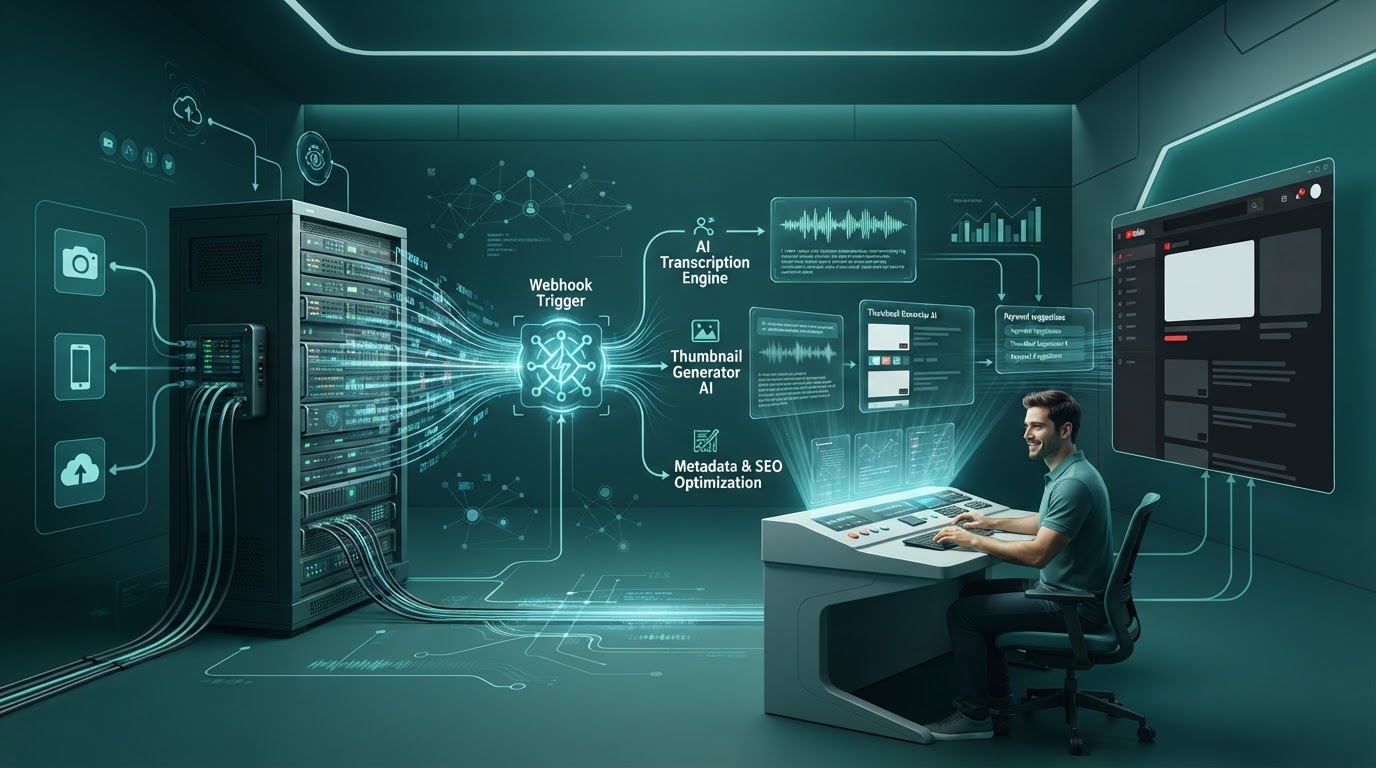
Profound workflows offer five core AI content pipeline automation options for YouTube to reduce manual work: webhook-driven video ingestion, speech-to-text transcript generation, algorithmic metadata and chapter creation, transcript transformation into long-form search articles, and automated publishing syndication through custom API middleware. These automated sequences eliminate repetitive data-entry tasks across the video lifecycle. You can configure your stack to process raw video recordings, generate search-optimized collateral, and publish derivative text without manual intervention.
Modern video operations teams use these options to bypass manual post-production bottlenecks:
- Automated transcript normalization. Speech-to-text pipelines convert raw conversational audio into timestamped, structured text without human transcription labor.
- Dynamic search metadata synthesis. Large language models generate click-optimized titles, descriptions, and video chapters aligned with YouTube search intent.
- Cross-channel content repurposing. Automation nodes transform video transcripts into publication-ready technical blog posts and schema-tagged documentation.
Key Takeaways
| Point | Details |
|---|---|
| Ingestion Mechanics | Triggers rely on RSS feeds, cloud storage buckets, or Google Drive webhooks to extract audio tracks immediately after upload. |
| Transcription Standards | Speech-to-text models like Whisper transcribe 16 kHz audio files, returning normalized timestamps and speaker diarization data. |
| Metadata Optimization | Chained prompts ingest transcripts to output descriptions, high-CTR titles, and YouTube-formatted chapter markers. |
| API Constraints | Direct publishing to YouTube requires managing Google OAuth tokens and accounting for the 1,600-unit quota cost of video updates. |
| Autopilot Alternative | CitedGiraffe provides autonomous SEO and AI-optimized publishing without the burden of building and debugging custom automation plumbing. |
Table of Contents
- Key Takeaways
- Video Ingestion Relies on Webhook Triggers and Media File Handshakes
- Speech-to-Text Processing Converts Raw Audio Into Normalized Transcripts
- Dynamic Prompt Chains Generate YouTube Metadata and Chapter Breakdowns
- Repurposing Pipelines Transform Video Transcripts Into Long-Form Search Assets
- Publishing Workflows Require Custom API Middleware Over Native YouTube Endpoints
- Automated Content Pipelines Cut Video Post-Production Hours by Eighty Percent
- The Operational Overhead of Managing Complex Workflow Automation Stacks
- Autonomous Content Engines Deliver Scalable Output Without Workflow Plumbing
- Architectural Framework for Choosing Custom Pipelines Versus Autopilot Systems
- Why Autonomous Systems Outperform Fragile Pipeline Builders
- CitedGiraffe Eliminates Workflow Overhead With End-to-End Autopilot Publishing
- Next steps
- FAQ
- Sources
- Recommended reads
Video Ingestion Relies on Webhook Triggers and Media File Handshakes
Every automated video content pipeline begins with an ingestion trigger. You cannot optimize video data without first extracting media streams or metadata from your production environment. Workflow automation platforms do not actively listen to raw video rendering engines on your local computer. Instead, they rely on cloud-to-cloud handshakes triggered by file uploads.
Production environments typically deploy one of three ingestion mechanisms: a watched cloud storage folder, an RSS feed trigger, or a direct HTTP POST request sent from an editing terminal. When an editor exports an MP4 or MOV file to an Amazon S3 bucket, Google Drive folder, or Frame.io project, an event listener fires. This event dispatches an HTTP payload containing the file location, file size, and basic project tags to the workflow automation engine.
Direct Ingestion via YouTube Data API and Webhooks
If you upload raw files directly to YouTube as unlisted videos, ingestion occurs through the YouTube Data API. The workflow listens for new uploads via PubSubHubbub (WebSub) notifications or scheduled polling calls to the playlistItems.list endpoint using your channel's unique upload playlist ID. Polling intervals typically run every 5 to 15 minutes to stay within daily rate limits.
When the platform detects a new video ID, it pulls the initial metadata object. This object contains the video ID, publication timestamp, raw title, and default language. The workflow logs this ID into a tracking database, tagging the status as pending processing. The automation engine now has the anchor key needed to push metadata updates back to YouTube later in the execution chain.
Automated Audio Extraction and Storage Routing
Processing complete video files through language models or transcription engines creates unnecessary bandwidth overhead. Video files frequently exceed 2 GB, whereas speech-to-text models only require the audio frequency spectrum. Efficient pipelines insert an audio extraction utility immediately after ingestion.
The workflow triggers an asynchronous serverless function (such as AWS Lambda running an FFmpeg layer) or an external transcode API. The command isolates the audio channel and strips the video track:
ffmpeg -i input.mp4 -vn -acodec libmp3lame -ac 1 -ar 16000 -b:a 64k output.mp3
This command downsamples the audio to a single channel (mono) at a 16 kHz sampling rate and a 64 kbps bit rate. This formatting matches the exact specifications required by neural speech-to-text engines. It compresses a 1.8 GB video file into a 22 MB audio container. The workflow routes this file to a temporary storage bucket, generating a signed URL valid for 60 minutes for downstream consumption.
Pro tip. Always downsample audio to mono 16 kHz MP3 or AAC format before transmitting files to AI transcription models. This reduces payload size by up to 90%, lowers upload timeouts on webhooks, and avoids per-megabyte overage charges.
Speech-to-Text Processing Converts Raw Audio Into Normalized Transcripts
High-performing text automation requires a clean, reliable transcription layer. If your transcript misidentifies technical terms, named entities, or speaker shifts, every subsequent prompt in your workflow produces flawed outputs. Automated pipelines route the normalized audio file to dedicated speech-to-text endpoints.
What it is not: this pipeline is not a video generation or synthetic avatar tool. It does not generate artificial B-roll or synthesize visual assets. It operates purely as a text and metadata transformation engine, taking human-created video assets and systematically turning them into organic search drivers.
Whisper Model Deployment for Technical Transcription
Most modern automated workflows rely on models such as OpenAI's Whisper or enterprise equivalents deployed on Google Cloud or dedicated GPU clusters. As detailed in the OpenAI Speech to Text Guide, the API accepts files up to 25 MB directly. If your extracted audio exceeds 25 MB, the workflow must include a chunking node that splits the audio at silent breaks using silence detection algorithms.
The pipeline passes the signed audio URL to the transcription endpoint using these baseline parameters:
| Parameter | Configuration | Technical Objective |
|---|---|---|
| Model | whisper-1 / large-v3 | Maximizes word accuracy and technical term recognition |
| Response Format | verbose_json | Returns word-level and segment-level timestamps |
| Temperature | 0.0 | Enforces deterministic decoding and minimizes hallucinations |
| Prompt | Industry glossary array | Seeds proprietary acronyms, brand names, and technical terms |
Setting the temperature to 0.0 prevents the model from inventing words during moments of low-volume audio. Supplying a glossary array within the request payload ensures the model spells niche jargon, software packages, and company names correctly.
Speaker Diarization and Timestamp Alignment
Single-speaker videos can proceed directly to metadata generation. Multi-speaker formats, such as executive interviews, podcasts, and product webinars, require speaker diarization. Basic transcription models output uninterrupted blocks of text that obscure conversational context.
Advanced workflow nodes process the raw audio through diarization models like PyAnnote or deep learning engines such as Cloud Video Intelligence API. The output pairs each spoken sentence with a speaker identifier (e.g., Speaker 0, Speaker 1) and exact start and end timestamps. The pipeline aligns the diarized output with the high-accuracy transcript text. This output produces a structured JSON array:
[
  {
    "speaker": "Host",
    "start": 0.00,
    "end": 14.20,
    "text": "Welcome back. Today we are breaking down API-first content automation."
  },
  {
    "speaker": "Guest",
    "start": 14.50,
    "end": 32.10,
    "text": "Thanks for having me. The biggest bottleneck we see is manual metadata entry."
  }
]
This structured format provides downstream large language models with the exact structural cues needed to generate accurate chapter titles and topical summaries.
Dynamic Prompt Chains Generate YouTube Metadata and Chapter Breakdowns
Once you have a normalized JSON transcript, the workflow executes automated prompt chains. You should never pass an entire 45-minute transcript into a single, open-ended prompt expecting publication-ready results. Monolithic prompts degrade output quality, hallucinate facts, and ignore formatting constraints. High-reliability workflows decouple metadata generation into distinct, chained operational steps.
Algorithmic Generation of High-CTR Titles and Summaries
The first prompt node handles title and description synthesis. The pipeline injects the full transcript text alongside explicit structural rules, character limits, and negative constraints:
- Title Node: Ingests the core thesis of the video. It generates 10 variations under 60 characters to prevent truncation across mobile devices. It applies title-case rules and penalizes sensationalist clickbait phrasing.
- Description Node: Generates a three-tier video description. Tier one provides a 2-sentence hook containing the primary entity keyword within the first 120 characters. Tier two provides a 250-word detailed summary structured for search intent. Tier three appends standard brand links, social channels, and legal disclaimers.
- Tag and Category Node: Extracts 8 to 12 relevant semantic tags and maps the content to the correct YouTube numerical category ID (e.g., Category 28 for Science & Technology).
By splitting title, description, and tag generation into sequential API calls, each model request operates within an optimal attention window. This approach prevents context dilution and adheres strictly to character bounds.
Automated Video Chapters and Timestamp Schema Generation
Video chapters provide essential navigational structure for human viewers and critical semantic anchors for Google Search indexing. Google uses these chapters to serve "Key Moments" in search engine results pages. Creating chapters manually requires scrub-testing footage and noting timestamps by hand.
In an automated workflow, an LLM processes the segment-level timestamp JSON array. The prompt instructs the model to identify major thematic shifts lasting at least 60 seconds. The model must output chapters in YouTube's mandatory syntax:
00:00 - Introduction to Headless Automation
02:15 - Core Webhook Architecture and Triggers
07:42 - Audio Extraction with FFmpeg
14:10 - Transcription Using Speech-to-Text Models
21:30 - Deploying Metadata via YouTube API
The workflow validates the output using a regular expression checking for valid timestamp formatting: ^(\d{2}:)?\d{2}:\d{2}\s-\s.+. It checks that the first entry starts precisely at 00:00 and that at least three chapters exist. If the syntax fails validation, an automated fallback node re-prompts the model with the error trace, preventing broken descriptions from going live.
Pro tip. Always enforce a syntax validation node immediately after chapter generation. YouTube requires the first timestamp to begin exactly at 00:00 and demands at least three chapters ordered chronologically. If your prompt outputs 00:01 as the first marker, YouTube disables key moments entirely.
Repurposing Pipelines Transform Video Transcripts Into Long-Form Search Assets
Video assets capture significant subject-matter expertise, but video alone cannot capture all textual search demand. An enterprise pipeline does not stop at YouTube metadata. It repurposes video transcripts into crawlable, long-form editorial content for your company blog.
Repurposing spoken dialogue requires architectural refinement. Conversational speech includes filler phrases, grammatical tangents, and circular explanations. Feeding a raw transcript into a CMS creates unreadable blog posts that harm user experience and organic rankings.
Converting Conversational Dialog into Technical Articles
To convert transcripts into authoritative prose, workflow pipelines employ multi-stage synthesis chains. Rather than attempting a one-shot rewrite, the pipeline routes the transcript through an editorial tree:
- Outline Extraction: An initial prompt extracts key arguments, data citations, technical methodologies, and logical conclusions from the transcript. It discards banter and conversational transitions.
- Section Expansion: The workflow loops over the extracted outline items, generating individual H2 and H3 sections one at a time. This ensures deep topical coverage rather than a thin summary.
- Editorial Refinement: A downstream prompt reviews the compiled text to enforce active voice, remove repetitive qualifiers, and format complex points into structured tables and bulleted lists.
Understanding these multi-stage workflows helps you build scalable marketing operations. For deeper architectural insights on setting up autonomous organic systems, explore AI SEO automation workflows and discover how modular prompt orchestration improves performance.
Maintaining Entity Consistency and Search Intent Alignment
Automated repurposing pipelines must maintain strict entity consistency. If your technical video demonstrates an integration between specific software systems, the resulting article must reference the exact API versions, programming languages, and naming conventions mentioned in the source material.
The workflow injects your brand voice profile and target entity lists directly into the context window. It checks the generated article against a schema validation step to ensure technical accuracy. Teams building these chains often compare platforms; our breakdown of Profound vs. Rankability for content workflow automation outlines how different engines handle entity retention across multi-step jobs.
Furthermore, the workflow automatically generates VideoObject schema markup. It embeds the YouTube video ID, upload date, description, and transcript text directly into the article's JSON-LD block:
{
  "@context": "https://schema.org",
  "@type": "VideoObject",
  "name": "Automated AI Content Pipelines for YouTube",
  "description": "A comprehensive walkthrough of automating YouTube video metadata and blog repurposing.",
  "thumbnailUrl": "https://img.youtube.com/vi/VIDEO_ID/maxresdefault.jpg",
  "uploadDate": "2025-02-15T08:00:00+00:00",
  "contentUrl": "https://www.youtube.com/watch?v=VIDEO_ID",
  "embedUrl": "https://www.youtube.com/embed/VIDEO_ID"
}
This structured markup connects the written article directly to the video asset. Search engines can then award rich snippets across both web search and video search indices.
Publishing Workflows Require Custom API Middleware Over Native YouTube Endpoints
Connecting generation nodes to downstream publishing platforms presents a significant technical challenge. Marketers often assume workflow automation suites feature pre-built, one-click publishing buttons for YouTube. The architectural reality is more complex.
Whether workflow platforms maintain a verified, native YouTube write integration remains uncertain and subject to unannounced API deprecations. Most enterprise automation stacks require you to configure custom REST API middleware, manage Google Cloud OAuth credentials, and maintain webhook listeners to update video details reliably.
"The YouTube Data API (v3) lets you incorporate YouTube functionality into your own application. You can use the API to upload videos, manage playlists and subscriptions, update channel settings, and more."
— Google Developers, YouTube Data API Documentation
Managing OAuth Tokens and YouTube API Quota Limits
To push updated titles, descriptions, and tags to YouTube, your automation system must authenticate as your channel owner. This requires setting up a Google Cloud project, configuring an OAuth 2.0 Client ID, and generating refresh tokens that grant the https://www.googleapis.com/auth/youtube scope.
You must also monitor API quotas. Every API call incurs a specific quota cost against a default channel limit of 10,000 units per day:
| API Operation | Endpoint | Quota Unit Cost |
|---|---|---|
| Read Video Details | videos.list |
1 unit |
| Update Metadata | videos.update |
50 units |
| Upload Video File | videos.insert |
1,600 units |
| Set Thumbnail | thumbnails.set |
50 units |
If you upload six videos in a single day using automated API pipelines (1,600 * 6 = 9,600 units), you consume 96% of your daily quota. Attempting to execute additional read or update operations will trigger an HTTP 403 quotaExceeded error. Your pipeline must include rate-limiting logic, exponential backoff, and quota-monitoring alerts to prevent execution failures.
Routing Approved Assets to Webflow, WordPress, and Social Distribution
Updating YouTube metadata handles only one channel. A complete automation pipeline also syndicates repurposed text assets across your web properties. The final nodes in the workflow distribute the generated articles, social posts, and newsletter summaries to their respective endpoints.
The workflow converts the blog post markdown into clean HTML and sends a POST request to your CMS API (such as Webflow CMS or WordPress REST API). It maps structured fields for the title, body content, meta description, author ID, and schema markup block. Teams looking at different content automation solutions can consult our best SEO content automation tools guide to evaluate architectural capabilities across the market.
If you use an editorial review gate, the workflow halts before final publication. It dispatches a Slack or Microsoft Teams notification containing preview links and interactive approval buttons. Clicking "Approve" triggers the final publishing webhooks; clicking "Reject" routes the record back to an editing queue.
Automated Content Pipelines Cut Video Post-Production Hours by Eighty Percent
The primary motivation for implementing an automated YouTube workflow is labor reduction. In a traditional marketing department, publishing a single video requires significant manual coordination across writers, video editors, and SEO managers.
Consider the baseline labor math for a mid-market team producing 20 technical videos per month. Historically, post-production administrative work takes roughly 4 hours per video:
- Listening to playback and transcribing key points: 60 minutes.
- Drafting, testing, and optimizing titles and search descriptions: 45 minutes.
- Scrubbing footage to log accurate video chapters: 30 minutes.
- Drafting a companion summary blog post: 90 minutes.
- Manual data entry into YouTube Studio and your CMS: 15 minutes.
Across 20 videos, this post-production routine consumes 80 hours of manual labor every month. At an average loaded wage of $45 per hour, you spend $3,600 per month solely on data entry, formatting, and manual drafting.
An automated workflow changes this dynamic entirely. The pipeline executes transcription, metadata drafting, chapter creation, and blog generation within 4 to 8 minutes of video upload. The human role shifts from manual creation to brief quality assurance. A marketing manager spends only 15 minutes reviewing and approving the generated assets. Post-production labor falls from 4 hours to roughly 48 minutes per asset, delivering an 80% reduction in manual effort.
The Operational Overhead of Managing Complex Workflow Automation Stacks
While an 80% reduction in drafting time is valuable, custom workflow builders introduce hidden operational liabilities. Assembling a multi-step automation pipeline yourself means you become responsible for ongoing infrastructure maintenance. When enterprise teams build custom solutions, they exchange content labor for software engineering labor.
Mitigating Prompt Drift and Format Inconsistencies
Language model APIs change over time. When an underlying foundational model updates its weights or tokenization behavior, downstream prompt completions can shift unpredictably. A prompt that reliably generated valid chapter timestamps for three months can suddenly begin wrapping output in markdown code blocks or omitting zero-padded minutes.
These formatting shifts break downstream API requests. If YouTube's API expects a plain-text description string, receiving raw JSON or unescaped HTML characters will throw an HTTP 400 error. Maintaining a custom pipeline requires setting up continuous regression testing, validation layers, and prompt monitoring to catch drift before it disrupts production.
The Hidden Labor of API Maintenance and Webhook Failures
A multi-vendor DIY workflow stack relies on a chain of third-party platforms: cloud storage hooks, external transcode clusters, transcription models, LLM reasoning nodes, and CMS endpoints. If any service in this chain experiences downtime, updates its schema, or invalidates an authentication token, the entire workflow halts.
Marketing teams often discover these failures days later, only after noticing that recent video uploads lack chapters, descriptions, or companion blog posts. Engineering hours must then be spent checking logs, re-authenticating expired Google OAuth tokens, and manually re-running failed webhook payloads. Building your own pipeline requires continuous systems maintenance.
Autonomous Content Engines Deliver Scalable Output Without Workflow Plumbing
To eliminate manual effort without building brittle custom infrastructure, organizations are adopting fully autonomous content engines. Instead of forcing teams to wire together webhooks, write parsing scripts, and debug prompt chains, modern autonomous systems package research, drafting, optimization, and publishing into a single engine.
An autonomous content engine scans your domain, evaluates existing entity coverage, maps topical gaps, and produces publication-ready content aligned with your brand voice. You avoid writing API error handlers, managing cloud storage permissions, and policing prompt drift. The platform handles end-to-end execution, enabling your marketing team to scale search footprint without managing pipeline maintenance.
Architectural Framework for Choosing Custom Pipelines Versus Autopilot Systems
Deciding between a custom workflow pipeline and an autonomous content platform depends on your engineering bandwidth, publication volume, and compliance requirements. You can evaluate the two approaches using this comparison matrix:
| Evaluation Criteria | Custom Workflow Pipeline | Autonomous Content Engine |
|---|---|---|
| Deployment Time | 3 to 6 weeks of engineering configuration | Immediate setup via automated domain scan |
| Maintenance Overhead | High; requires active monitoring of API versions and webhooks | Zero; platform provider manages model updates and infrastructure |
| Failure Vulnerability | High; any broken node in the multi-step chain halts execution | Low; built-in redundancy, self-healing queues, and fallbacks |
| Search Optimization | Requires manual creation and testing of SEO prompt rubrics | Native algorithmic alignment for search engines and LLM answers |
| Internal Labor Required | Requires dedicated operations engineers or technical marketers | Operates autonomously with simple strategic editorial oversight |
If you possess full-time automation engineers with dedicated time to monitor webhooks, write custom parsers, and maintain API infrastructure, building modular pipelines offers granular control. However, if your primary goal is driving organic revenue and scaling search footprint without engineering overhead, custom workflow builders introduce unnecessary technical debt.
Why Autonomous Systems Outperform Fragile Pipeline Builders
Marketing teams exist to create demand, shape brand authority, and win organic visibility. They should not function as systems integrators tasked with debugging API handshakes or repairing broken webhook chains. Custom automation workflows provide useful utility, but they often distract teams from core marketing objectives.
When you build a bespoke pipeline across multiple API services, you inadvertently become an infrastructure maintainer. Every model deprecation, API quota limit, and token expiration demands your team's attention. True efficiency comes from decoupling operational output from infrastructure maintenance. Autonomous content engines deliver the strategic business results you want—consistent, search-optimized authority—without forcing you to manage brittle technical plumbing.
— CitedGiraffe
CitedGiraffe Eliminates Workflow Overhead With End-to-End Autopilot Publishing
You do not need to configure API endpoints, manage Google Cloud quotas, or write prompt chains to automate your content strategy. CitedGiraffe delivers a complete organic growth engine on autopilot. Our system scans your site, builds a comprehensive map of your topical authority, and continuously drafts, optimizes, and publishes enterprise-grade content that ranks across traditional search engines and AI generative models.
With CitedGiraffe, your content pipeline runs continuously without manual data entry, webhook configuration, or prompt maintenance. Learn how our one content agent across every format architecture preserves your brand voice while scaling your footprint. To eliminate operational bottlenecks and scale your organic pipeline without infrastructure maintenance, scan your site for free with CitedGiraffe.
Next steps
- Days 1 to 30: Audit production time and map API requirements. Measure the exact manual hours your team spends processing video assets each month. Catalog your existing cloud storage triggers, determine your average YouTube API quota consumption, and audit your target CMS endpoints.
- Days 31 to 60: Pilot prototype pipelines versus autonomous alternatives. Test audio extraction scripts, transcription accuracy, and timestamp formatting on a small batch of 3 to 5 videos. Simultaneously run an autonomous scan on your core domain to benchmark output quality against your custom pipeline.
- Days 61 to 90: Implement production automation and sunset manual tasks. Transition your video publishing routine to your selected pipeline. Monitor your error rates, validate your schema markup in Google Search Console, and reallocate saved team hours toward strategic creative production.
FAQ
Does an automated pipeline directly upload video files to YouTube?
Automated pipelines can upload video files using the YouTube Data API videos.insert endpoint, but doing so consumes 1,600 quota units per video from your default 10,000-unit daily allotment. Most teams prefer uploading videos manually or unlisted via YouTube Studio, using automated workflows solely to update titles, descriptions, and chapters.
How do workflows handle AI content disclosures required by YouTube?
YouTube mandates disclosures when creators publish realistic synthetic or altered media. As documented in the YouTube Synthetic Content Guidelines, generating metadata or written summaries from authentic human speech does not require synthetic media disclosure. If you use generative AI to synthesize realistic human voices or imagery, your API payload must flag the hasCustomThumbnail or synthetic content metadata booleans.
Why do automated video chapters sometimes fail to appear on YouTube?
Chapters fail to render if your prompt output violates YouTube's strict formatting rules. You must include at least three timestamps listed in chronological order, with the very first timestamp starting precisely at 00:00. Furthermore, each chapter segment must be at least 10 seconds long; otherwise, YouTube's parser ignores the chapter data entirely.
How much does it cost to transcribe and process a video using AI APIs?
Direct API processing costs are relatively low. Transcribing audio through models like Whisper costs roughly $0.006 per minute, or $0.18 for a 30-minute recording. Downstream LLM processing for titles, descriptions, chapters, and companion articles typically consumes 15,000 to 30,000 tokens, costing between $0.05 and $0.30 depending on the model tier selected.
Sources
- YouTube Data API Overview — Google Developers
- YouTube Data API: Uploading a Video — Google Developers
- Speech to Text Guide — OpenAI Documentation
- Cloud Video Intelligence API Documentation — Google Cloud
- How and When to Disclose Altered or Synthetic Content — YouTube Help
- YouTube Reporting API Overview — Google Developers